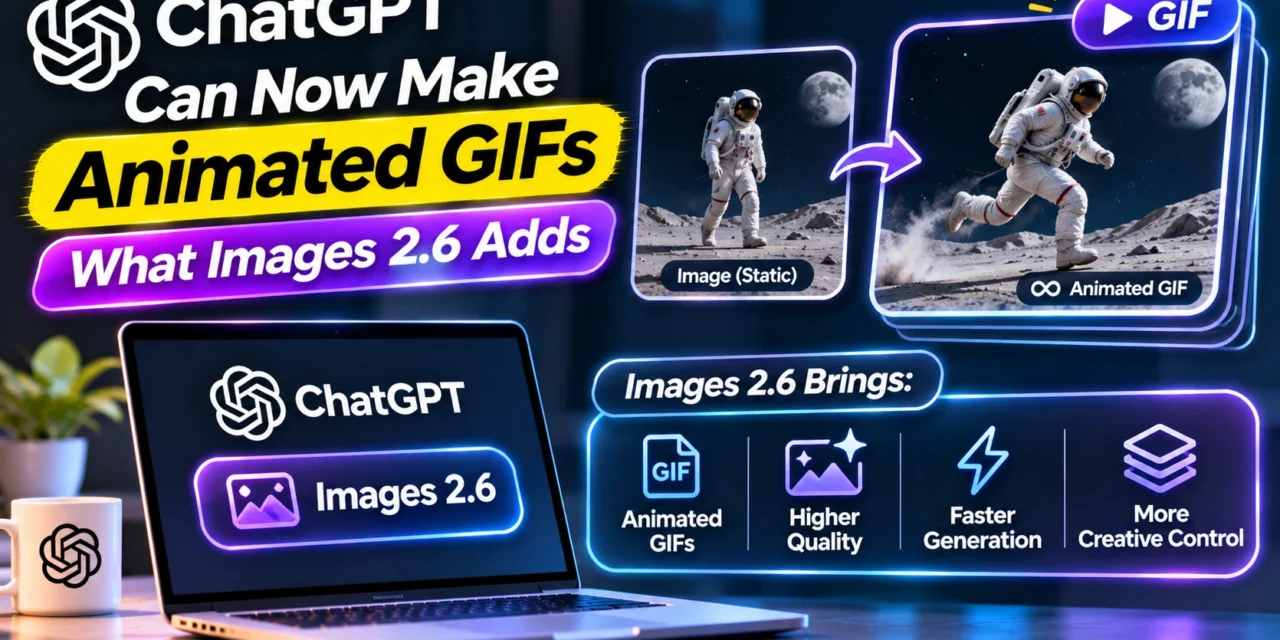
ChatGPT has a new trick: it can create animated GIFs from a text prompt or an uploaded photo, and let you tweak the animation without leaving the chat. The feature arrives with OpenAI’s new Images 2.6 model.
This article explains what the update does, how you might use it, who gets it, and what OpenAI says about image usage. The details come from a Verge report dated November 4, 2026, and the usage numbers are OpenAI’s own.
Quick summary
- What’s new: ChatGPT can generate GIFs from a prompt or a photo.
- Controls: You can change the animation speed, edit individual frames, and share the result.
- Model: Rolling out alongside Images 2.6, which also generates images faster.
- Availability: All ChatGPT and Codex users on web, desktop, and mobile.
- API: GPT-Image-2.6 Flare and Sunburst are launching for developers.
What can you do with it?
Before this update, ChatGPT couldn’t natively create a GIF in a single step. Now you can:
- Describe a GIF. For example, OpenAI’s own example prompt asked for a GIF of a cat dancing.
- Start from a photo. Upload a picture and ask ChatGPT to animate it.
- Adjust the speed. Change how fast or slow the animation plays.
- View and edit frame by frame. Check each frame and change individual ones.
- Share it. Send the finished GIF to others.
The tools for speed and frame editing appear directly inside ChatGPT.
Ideas for using GIFs
- Reactions and replies for chats and social media
- Simple product demos or step-by-step visuals
- Presentations that need a small looping animation
- Greeting cards and event invitations
- Educational examples, such as showing how a process moves from one step to the next
These are suggestions. The report only describes the cat example and the editing tools.
Tips for better GIFs
- Keep the prompt specific. Describe the subject, action, and style.
- Try short loops. Simple, repeating motion usually works best.
- Check the frames. Use frame editing to fix odd details.
- Adjust the speed. A small change can make the motion feel more natural.
- Respect rights and privacy. Only animate photos you have permission to use, especially photos of other people.
What else does Images 2.6 change?
The update also makes image generation faster in ChatGPT, according to OpenAI.
|
Metric |
Figure |
|---|---|
|
Images generated per week (now) |
Over 4 billion across ChatGPT and the API |
|
Images generated per week (September) |
3 billion |
Those numbers come from OpenAI and show strong growth, though they are company claims.
Who gets it?
|
Item |
Availability |
|---|---|
|
Images 2.6 and GIF creation |
Rolling out to all ChatGPT and Codex users on web, desktop, and mobile |
|
GPT-Image-2.6 Flare |
Available in the API for faster generation |
|
GPT-Image-2.6 Sunburst |
Available in the API for higher-quality generation |
Rollouts can take time, so you may not see the feature right away.
Why this matters
- More formats in one place. You can make images and short animations without switching to a separate tool.
- Easier editing. Speed and frame controls give users more control than a one-shot result.
- Competition in creative tools. OpenAI is expanding image features while rivals add their own.
- Rapid growth. Billions of images per week show how widely AI image tools are used.
Things to keep in mind
- Quality will vary. AI animations can include odd motion or details, so check the output.
- Copyright and likeness. Avoid using protected characters or someone’s face without permission.
- Labeling matters. If you share AI-generated GIFs, consider being clear that they are AI-made.
- Usage figures are OpenAI’s. They are not independently verified.
Frequently asked questions
Can ChatGPT really make GIFs now? Yes. You can create one from a prompt or from an uploaded photo.
Can I edit the GIF? Yes. You can change the playback speed and edit individual frames.
Who can use it? OpenAI says it is rolling out to all ChatGPT and Codex users on web, desktop, and mobile.
What is Images 2.6? OpenAI’s updated image model, which also speeds up image generation.
What is new for developers? GPT-Image-2.6 Flare and Sunburst are launching in the API, for faster and higher-quality image generation.
Conclusion
GIFs are a small feature, but a useful one. Adding animation, speed control, and frame editing to ChatGPT makes it a more complete creative tool. Try short, simple prompts first, review the frames, and use good judgment about what you animate and share.
Note: This article is based on a Verge report by Emma Roth dated November 4, 2026, rewritten in my own words. Usage figures are OpenAI’s. Please check OpenAI’s announcement for details.