
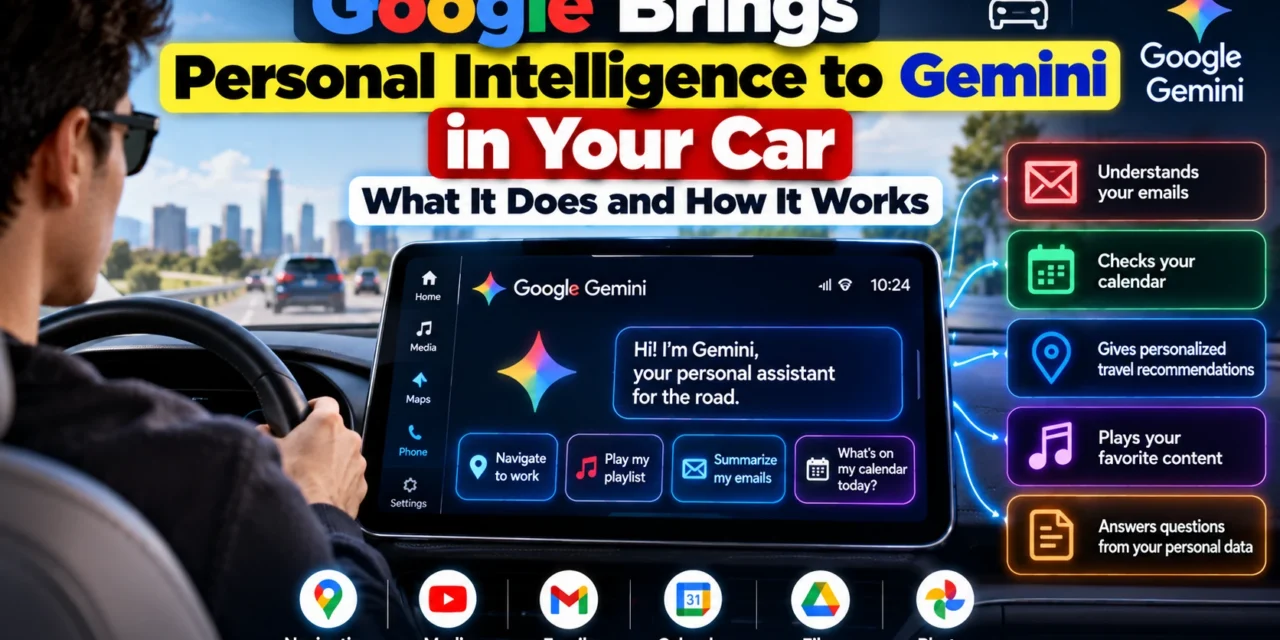
Google is making the Gemini assistant in your car a lot more personal. On October 20, 2026, the company announced a new feature called Personal Intelligence with Gemini, which can use information from your Google apps to give more helpful answers while you drive.
This article explains what the feature does, where and when it is available, how your privacy is protected, and what to watch out for. The details come from a TechCrunch report dated October 20, 2026.
Quick summary
- What’s new: Personal Intelligence with Gemini, which draws on your Google apps to understand your preferences and plans.
- Where: Android Auto first, then cars with Google Built-in.
- When: Starting now in Android Auto, and in the coming months for Google Built-in.
- Opt-in: You have to turn it on yourself.
- Control: You can switch it off at any time and choose which apps to connect.
What is Personal Intelligence?
Personal Intelligence is a Gemini feature that connects information across your Google services. According to Google, it can draw on:
- Gmail
- Google Calendar
- YouTube
- Maps
- Google Search history
- Other connected Google services
By using these, Gemini can better understand your preferences, activities, and past experiences. Google describes it as connecting the dots across your apps.
The feature first rolled out across the US in March and is now in beta in global markets. Gemini itself launched in Android Auto last November and is already in millions of cars, trucks, and SUVs.
What can it do in the car?
Here are examples from the announcement:
- Flight alerts. If you’re driving to the airport and your calendar shows a flight, Gemini can alert you if that flight is delayed.
- Multi-part questions. You could ask for your flight gate and then follow up about whether the flight is still on time. Gemini will answer both at once.
- Natural requests. You can make complex requests in everyday language instead of using specific commands.
Where is it available?
Google is rolling it out to vehicles in two ways:
|
Platform |
What it is |
Availability |
|---|---|---|
|
Android Auto |
An app on your phone that connects wirelessly to the car’s infotainment system and shows navigation, media, and messaging |
Starting October 20, 2026 |
|
Google Built-in |
Software and services built directly into the vehicle |
In the coming months |
Is it private?
Some people may feel uneasy about an assistant that connects so much of their information. Google says users stay in control:
- Opt-in only. Personal Intelligence works only if you turn it on.
- On or off any time. You can disable it whenever you like.
- Choose your apps. You can pick which apps to connect.
Still, the report notes that this level of connection could make some consumers uncomfortable, and that it could push people deeper into Google’s ecosystem of products.
How to get started
Google’s exact steps may vary by phone and car, but the general approach looks like this:
- Update the Gemini and Android Auto apps on your phone.
- Connect your phone to your car using Android Auto.
- Open Gemini’s settings and look for the Personal Intelligence option.
- Opt in and choose which Google apps to connect.
- Try a simple question, such as asking about your next calendar event.
- Review your connections later and remove any apps you don’t want linked.
If you don’t see the option yet, it may not have reached your account, so check back later.
Tips for safe use
- Connect only what you need. Fewer connected apps means less data in play.
- Keep your eyes on the road. Use voice commands and avoid touching the screen while driving.
- Double-check important information. For flight times or appointments, confirm with the official source.
- Review your settings regularly. Make sure the connections still match your preferences.
- Think about passengers. Shared car screens or audio may reveal personal details to others.
Why this matters
- Cars are becoming smarter assistants. The vehicle is turning into another place where AI works for you.
- It deepens Google’s ecosystem. The more apps Gemini uses, the more useful, and sticky, it becomes.
- Privacy choices matter. An opt-in design and app-by-app control are key for trust.
- Competition is growing. Other companies are building their own in-car AI assistants.
Things to keep in mind
- It’s opt-in. Nothing changes unless you enable it.
- Availability is staged. Android Auto comes first, with Google Built-in later.
- Beta in some regions. Outside the US, Personal Intelligence is in beta.
- Not every car or region is covered yet. Check Google’s announcement for details.
Frequently asked questions
What is Personal Intelligence with Gemini? A feature that lets Gemini use information from your Google apps to give more personal answers.
Which apps does it use? Gmail, Google Calendar, YouTube, Maps, Google Search history, and other connected Google services.
Is it on by default? No. You have to opt in.
Can I turn it off? Yes, at any time, and you can choose which apps to connect.
When can I use it? In Android Auto starting October 20, 2026, and in cars with Google Built-in in the coming months.
Is it available outside the US? Personal Intelligence is in beta in global markets, so availability may vary.
Conclusion
Personal Intelligence could make Gemini in your car much more helpful, from flight alerts to answering several questions at once. At the same time, it asks you to connect a lot of personal information, so the opt-in choice and app controls matter. If you try it, start small, connect only what you need, and review your settings from time to time.
Note: This article is based on a TechCrunch report by Kirsten Korosec dated October 20, 2026, rewritten in my own words. Please check Google’s announcement for current availability and setup steps.