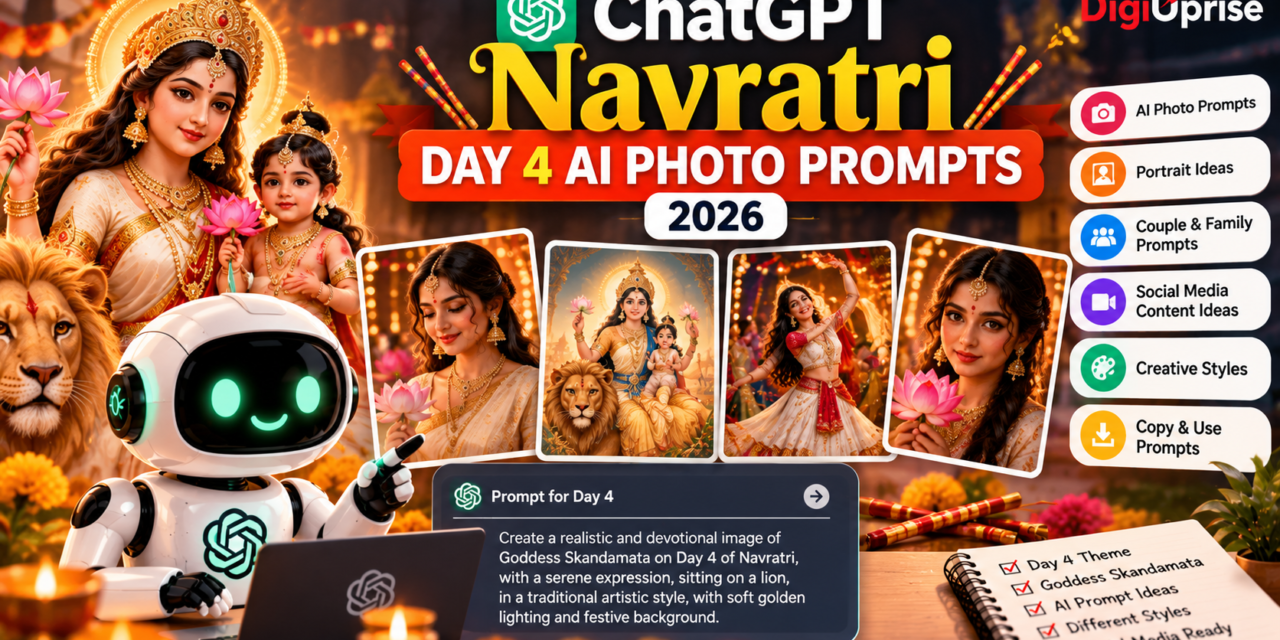
Navratri is a time for color, tradition, and celebration, and many people now mark each day by sharing themed photos online. This year, AI image tools make it easy to turn an ordinary picture into a festive portrait in just a few minutes.
This guide is for the fourth day of Sharad Navratri, which falls on Wednesday, October 14, 2026. You’ll find a quick background on the day, simple steps for using ChatGPT, six ready-to-use prompts, and tips for better results.
About Navratri Day 4
The fourth day of Navratri is dedicated to Maa Kushmanda, a form of the goddess Durga. The color linked with this day in the 2026 color series is royal blue, a deep, rich shade that suits elegant outfits and dramatic lighting.
That’s why the prompts below focus on royal blue clothing, golden accents, and soft, glowing backgrounds. Some also include gentle symbolic touches inspired by the goddess, such as shadows, halos, and reflections. These are meant to be artistic and respectful, so keep them subtle.
How to create your photo in 5 steps
- Open ChatGPT and upload a clear photo of yourself.
- Copy one prompt from the list below.
- Paste it into the chat and ask ChatGPT to edit your uploaded image.
- Review the result. If something looks off, ask for changes, such as “make the lighting softer” or “keep the outfit simpler.”
- Save the final image in the best quality available.
Tip: A sharp, well-lit photo with your face clearly visible gives the best results.
6 prompts for royal blue Navratri portraits
Each prompt uses a different pose or setting, so you can avoid the usual standing or sitting shot. Replace any details, such as the outfit style, to match your own taste.
Prompt 1: The golden mirror
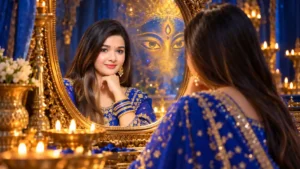
Edit my uploaded photo into a cinematic Navratri Day 4 portrait. Keep my face, identity, proportions, skin tone, and natural skin texture exactly as they are. Dress me in a detailed royal blue traditional outfit with fine gold embroidery. Show me looking into an antique mirror, where a soft golden-blue glow reveals a symbolic pair of goddess-inspired eyes in the reflection. Keep those reflected eyes separate from my real face. Add faint floating particles, deep blue shadows, and realistic studio lighting. Make it photorealistic, ultra-sharp, and 8K-style, with no text, logos, or watermarks.
Prompt 2: Eyes in the blue shadow
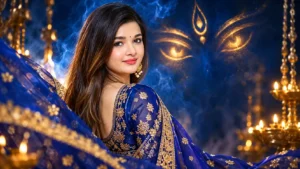
Turn my uploaded photo into a dramatic artistic portrait for the fourth day of Navratri. Do not change my face or identity. Use a royal blue background with a large, soft shadow behind me. Inside the shadow, form a subtle pair of goddess-inspired eyes from golden light and blue mist, suggesting protection and inner strength. Pose me gracefully, looking over my shoulder toward the camera. Use realistic fabric, rich contrast, and elegant festive styling. The shadow eyes must stay in the background and must not replace or change my own eyes. Ultra-detailed, 8K-style, no text or watermark.
Prompt 3: Shadow on a silk curtain
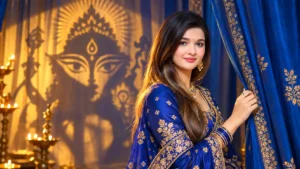
Use my uploaded photo to create a polished festive magazine-style portrait for Navratri Day 4. Keep my face, features, and skin tone unchanged. Dress me in a rich royal blue silk outfit and show me in side profile, gently holding the edge of a flowing blue curtain. Behind me, cast a large, intricate shadow inspired by traditional imagery of Maa Kushmanda, with a faint hint of expressive eyes and a glowing halo. Light one side with warm gold and the other with cool blue. The shadow should look like a real artistic projection, not a second person. Photorealistic, 8K-style finish, no text or watermark.
Prompt 4: Fabric in motion
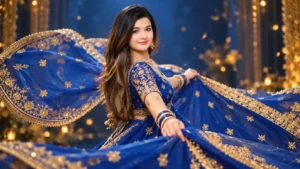
Transform my uploaded photo into a high-fashion Navratri portrait. Keep my face and identity exactly the same. Show me mid-twirl, with a royal blue dupatta flowing in a wide arc around me. Use natural fabric movement, gold embroidered details, and a softly lit blue background. Freeze the motion like a professional fashion shot, with a few delicate golden sparkles and natural shadows. Avoid a stiff standing pose. Realistic, 8K-style detail, no text or watermark.
Prompt 5: Floating blue petals
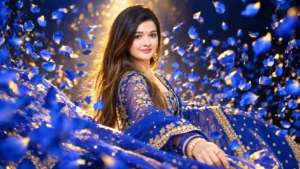
Create a magical yet realistic portrait from my uploaded photo. Preserve my exact face, skin tone, and identity. Show me turning gently while many royal blue flower petals float around me at different distances. Dress me in an elegant blue festive outfit with fine gold detailing. Use a dark blue background with soft golden backlight so each petal glows. Give the image depth and movement, as if it were captured by a professional high-speed camera. High quality, 8K-style, no text or watermark.
Prompt 6: The cosmic royal portrait
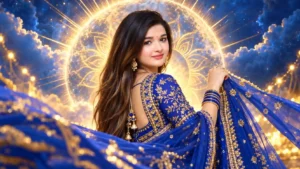
Make a grand but realistic festive portrait for Navratri Day 4 from my uploaded photo. Keep my face, identity, skin tone, and natural texture, with no beautifying or reshaping. Dress me in a richly detailed royal blue outfit with fine gold embroidery. Pose me over my shoulder, one hand lifting a flowing dupatta. Behind me, create a glowing cosmic circle of blue clouds, soft golden rays, and abstract divine-inspired patterns linked to Maa Kushmanda. Use cinematic lighting, realistic fabric movement, and a balanced layout. Ultra-detailed, 8K-style, no text, logos, or watermark.
Tips for better results
- Protect your real face. Always tell ChatGPT to keep your facial features and identity unchanged.
- Stick to royal blue. It’s the color of the day, so make it the main shade in the outfit and background.
- Change the angle. Try profile shots, over-the-shoulder poses, low angles, and close-ups for variety.
- Use natural lighting. Golden rim light and soft shadows look more realistic than harsh effects.
- Keep effects in the background. Smoke, reflections, and glowing shadows should stay behind you so your face stays clear.
- Set expectations on quality. “8K-style” describes the look you’re asking for. The actual resolution depends on the tool and settings you use.
Frequently asked questions
Do I have to use all six prompts? No. Pick the one you like best, or mix ideas from several.
What if the result changes my face? Reply with something like, “Keep my original face and features exactly as in the uploaded photo,” and try again.
Can I use these prompts for other days of Navratri? Yes. Just swap royal blue for the color of that day and adjust the outfit and background.
Is it safe to upload my photo? Be thoughtful about what you share. Use a photo you’re comfortable uploading, and check the tool’s privacy settings.
Conclusion
AI photo editing is a fun way to add a creative twist to your Navratri celebrations. With a clear photo, a royal blue theme, and a well-written prompt, you can create festive portraits in minutes. Try one of the six prompts above, adjust it to match your style, and enjoy sharing your Day 4 look.